By day four, a travel plan is either dead or alive. Dead is the list typed into the phone’s notes on the first evening and never reopened, because it no longer matches anything: it rained on Tuesday, you slept until ten on Wednesday, and half the lines have become wrong. Alive is a plan that moved with the trip. That is exactly what I tried to build with the "My week" planner.
Budget tip: in Mauritius, part of your activities can cost you less. See how to save money with discounts on your activities.
I live in Mauritius and I built Moris Insider, the island’s guide and map. This article covers one single feature: the "My week" planner — what it shows, what it does on its own, and what it does not do.
Why plans die on day four
A holiday plan almost never fails because it was badly thought out. It fails because it cannot correct itself. One visit shifted by an hour and everything after it becomes wrong; one downpour and half the day goes in the bin. Since correcting it means retyping it, nobody corrects it — and from then on, nobody reopens it.
In Mauritius the cost of that is high: it is not a missed meeting, it is a missed tide, a closed market, a boat trip that left without you. Here, many things have only one window: the Mahébourg market is on a Monday, the lagoon is flat in the morning and chopped up by the breeze in the afternoon, and a waterfall changes face depending on whether it rained the night before. A plan that cannot correct itself does not just miss a box: it misses the one window in which the thing was worth the drive. So I took the problem by the gesture: anything that changes must change in one second, and anything that can happen by itself must happen without being asked.
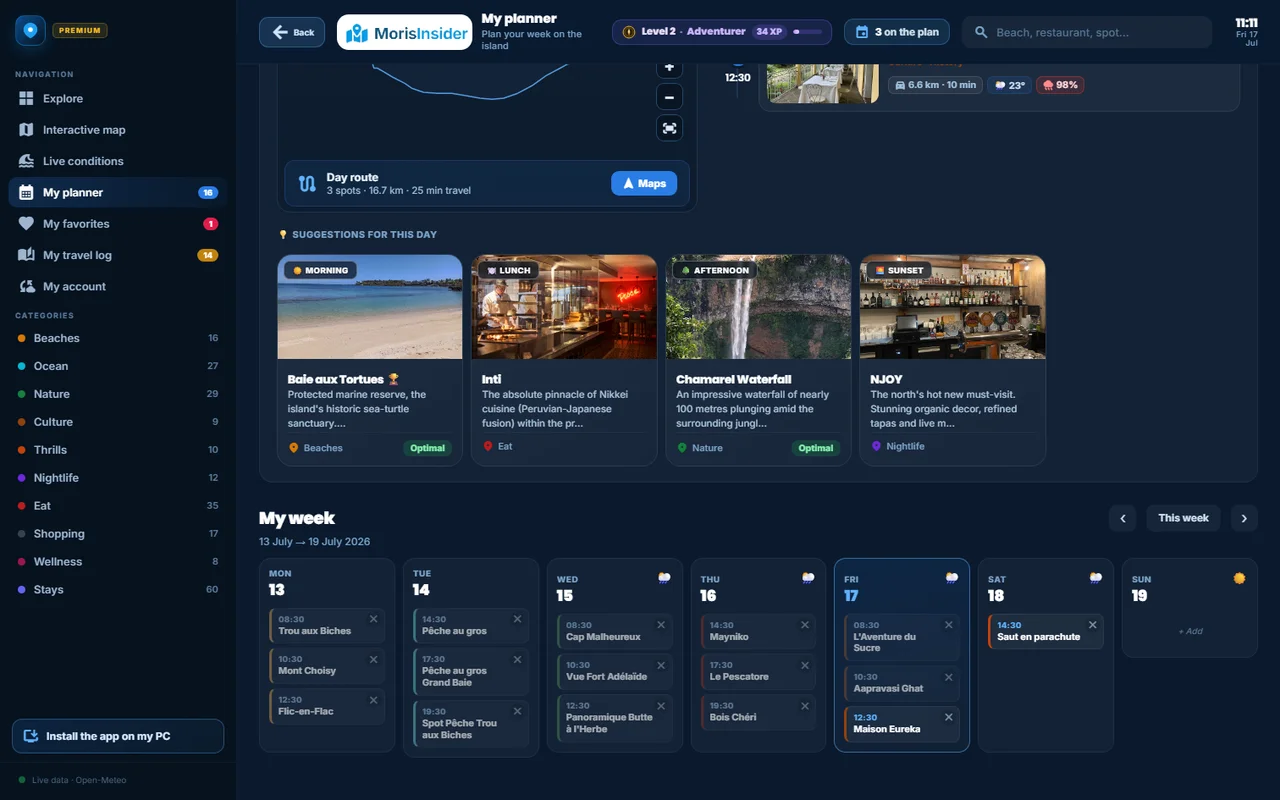
A week in three columns, with no gaps
You add a place from its page with one button, and the app asks for the time — a picker in ten-minute steps, because nobody schedules a beach for 2:07 pm. That is all: the place, its time, and it is in the week. The places themselves are picked beforehand from the app’s categories.
On a phone the week shows in three columns, and that detail took work. Days of different heights laid out in a grid leave big gaps: a six-activity day next to an empty one, and half the screen is wasted. So each day goes into the shortest column at that moment. The result fits on one screen instead of two, and the week reads at a glance.
When a visit shifts, nothing is retyped: you drag one activity onto another to swap them, and the device buzzes briefly to confirm the grab. It is the one gesture I use every single day on holiday.
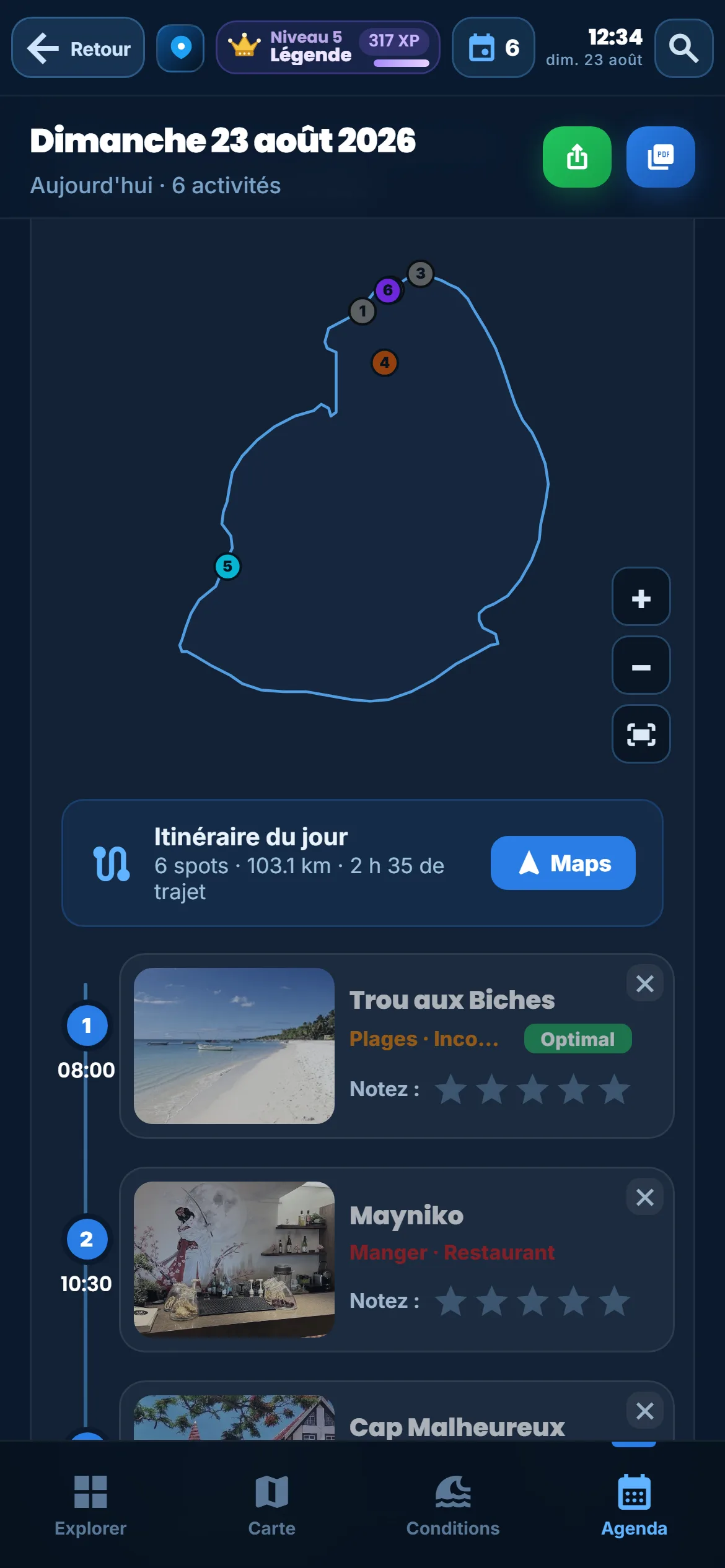
On a large screen that column arrangement disappears: the week goes back to a plain grid, seven days side by side, because space is no longer short. It is the same planner, and that matters — many people build their trip on a computer before leaving, then live it on a phone once there. The programme put together on a Sunday evening at home is exactly the one found on Tuesday morning on the road, with nothing to re-import.
The "Now" marker, and the day’s route
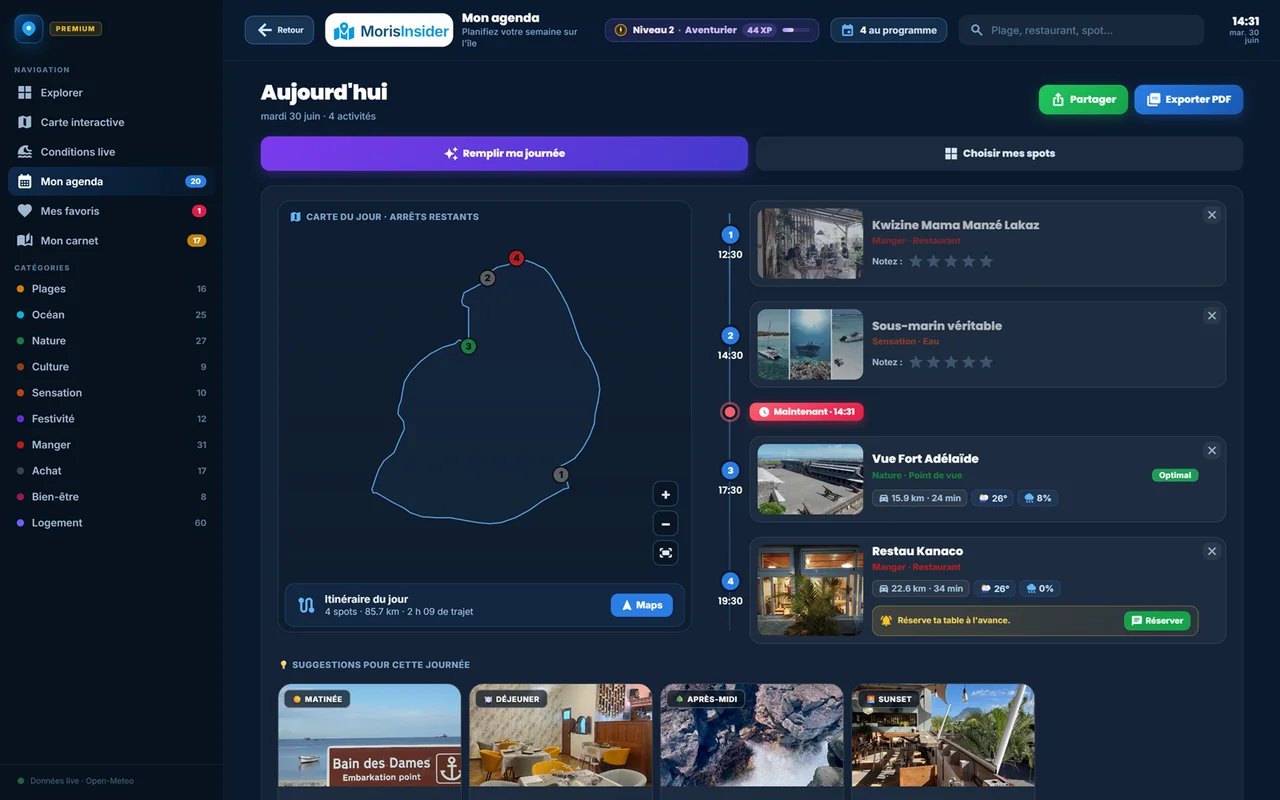
The feature itself, plainly: the day is not a list, it is a timeline. A "Now" bar, carrying the real time, cuts it in two — what has passed above, what remains below. You know where you stand without reading a single time.
Above the activities, one line sums up the whole day: "Day’s route · 6 spots · 103.1 km · 2 h 35 of driving", with a button that sends the lot to a navigation app. That is the number that makes you drop a stop the evening before, while there is still time.
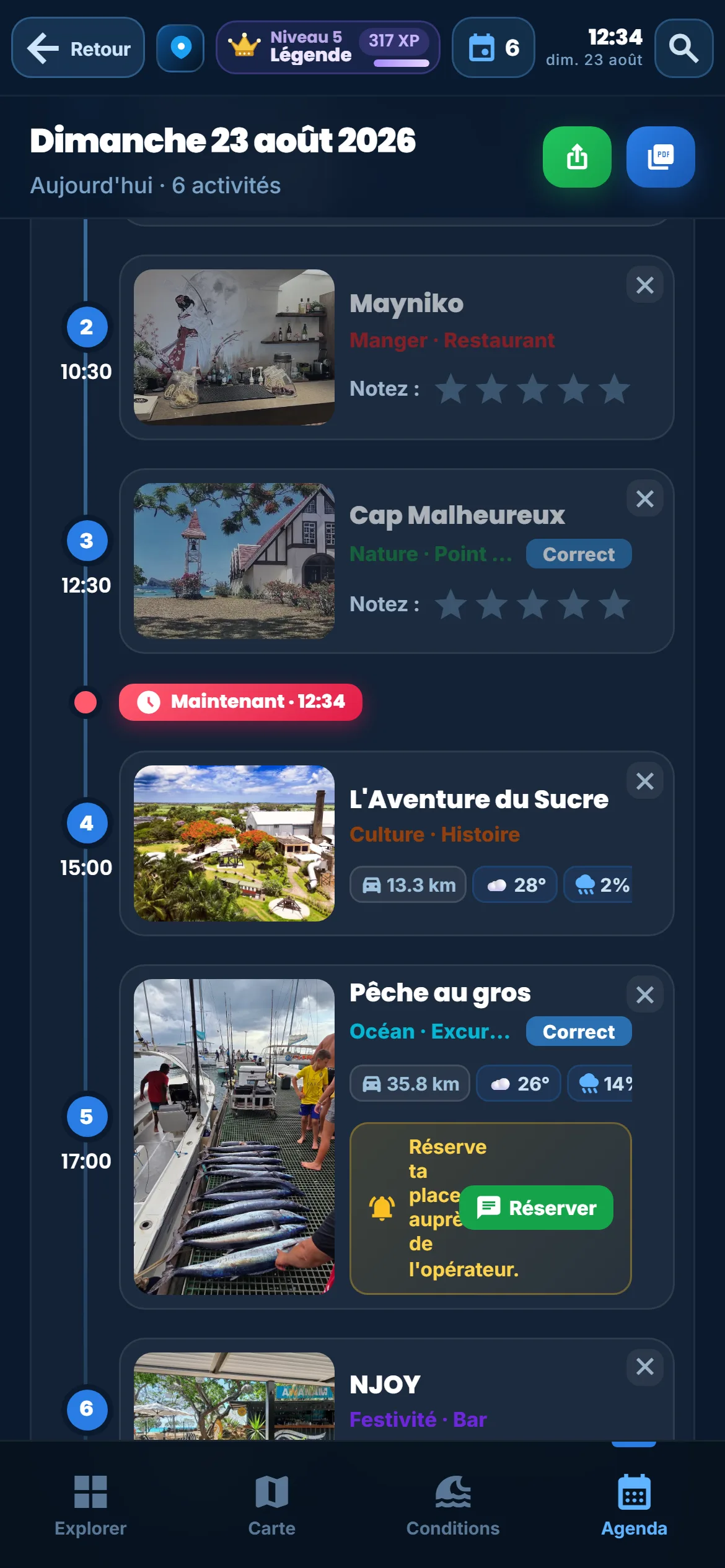
The advantage: the day reads in the state it is in, not the state you imagined it in. The benefit shows up the moment the plan slips — which is every day: instead of abandoning a plan gone wrong, you see at once what is still doable, and move two lines. Each place added also earns five experience points, which push the traveller levels up; that is incidental, but it comes without asking.
Build your week
The planner, the times and the day’s route are in the app. No card needed.
Discover the app →What has passed leaves by itself
This is my favourite part, because it asks for no gesture at all. An activity whose time has passed leaves the planner and moves into the travel journal, filed under its day. The planner keeps only what is ahead; the journal receives what was lived, ready for a five-star rating and a few photos.
That is what closes the loop of a trip. Upstream, the island map can fill a whole day at once, with times worked out on real roads — that is the subject of our article on the timed road trip. Downstream, the journal builds the memory. In the middle, the planner is the one piece you actually look at every day.
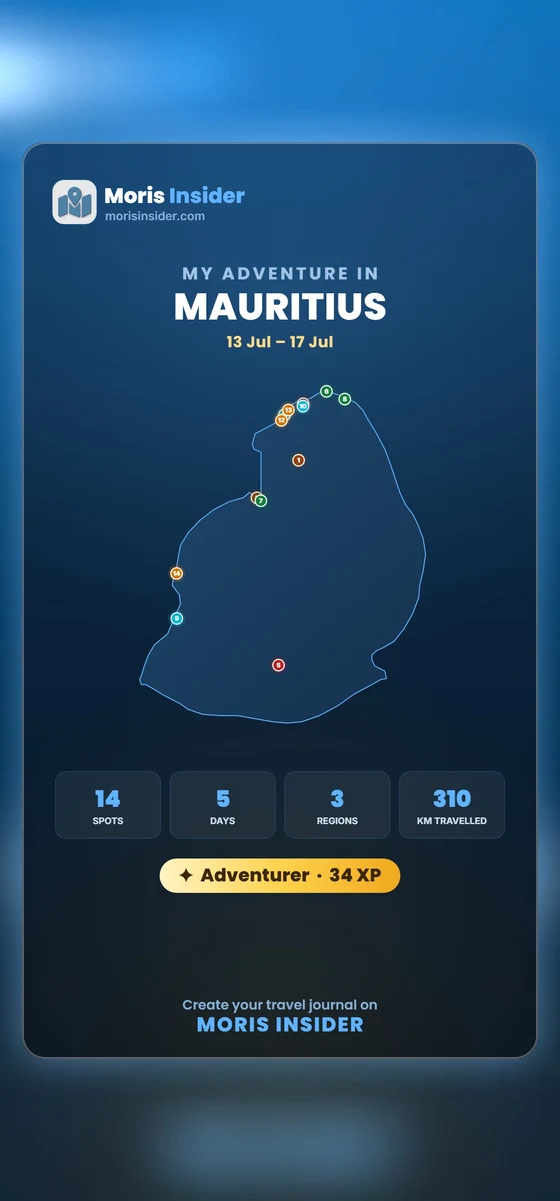
And if you would rather show your programme than describe it, a button builds an image in story format, with the places and the route — the same mechanism as sharing the journal, applied to what is planned.
Places you have scouted but not yet scheduled stay in your favourites: that is the reserve you dip into in the morning, when the weather decides otherwise.
What the planner does not do
This is the part I care most about writing, because it stops you expecting from this screen what it does not promise.
It books nothing. Adding a boat trip at 9 am warns nobody: it is your programme, not a reservation. On partner places the app shows the contact and you call — the planner notes the intention, it does not turn it into a commitment. In Mauritius that distinction matters more than elsewhere: a great deal still runs by phone, a boat leaves when it is full, and a table is held because someone said yes on the line. An app that pretended to book on your behalf would be lying about how the island actually works.
It does not remind you. It sends no notification at the appointed time. That is a choice: I did not want to add a source of alerts to a holiday. The trade-off is that you have to open it — in the morning, and in the evening for the next day.
And it does not guess how long a visit takes. You set a start time, not a span: you are the one who knows whether the waterfall takes an hour or three. When a whole day arrives from the map, it allows an hour and a half per stop — a frame to adjust, not a prediction. If you are starting from nothing, our 7-day Mauritius itinerary gives a solid base to fit into the week.
A plan that survives day four
Week in three columns, a "Now" marker, automatic hand-off to the journal. In the app.
Discover the app →