South-west coast road, a Tuesday, five in the afternoon. Coming down from Chamarel towards Baie du Cap I passed four places I wanted to come back to: a nearly empty beach with one leaning filao tree, a fishermen’s jetty, a table that smelled of grilled fish, a roadside viewpoint where I slowed down without stopping. That evening on the terrace, one was left: Le Morne, because it is hard to forget. The other three were gone — not the images, the names. That is exactly the gap filled by the small heart on every card of a place sorted by mood.
Budget tip: in Mauritius, part of your activities can cost you less. See how to save money with discounts on your activities.
The hard part is not finding, it is finding again
Mauritius is small and very dense. In a single day on the road you drive past more interesting places than you could visit in a week. That is a pleasure at the time and a nuisance at night: you come back with a mush of memories, a few blurred photos, and the nagging sense of having seen something good without being able to say where.
The usual workarounds do badly here. The screenshot ends up in a camera roll of six hundred pictures. The note in the phone says “the beach after the bridge”, which, between Rivière Noire and Bel Ombre, describes roughly eight beaches. A pin dropped in a maps app does better, but it lives somewhere else than the rest of your holiday: it knows nothing about the tide, today’s swell, or what you already have booked tomorrow morning.
What you need is not another notebook. It is for the act of keeping to happen where you are already looking at the place — and for the thing you kept to come back with its information, not just its name.
One heart, one XP, and the place stops moving
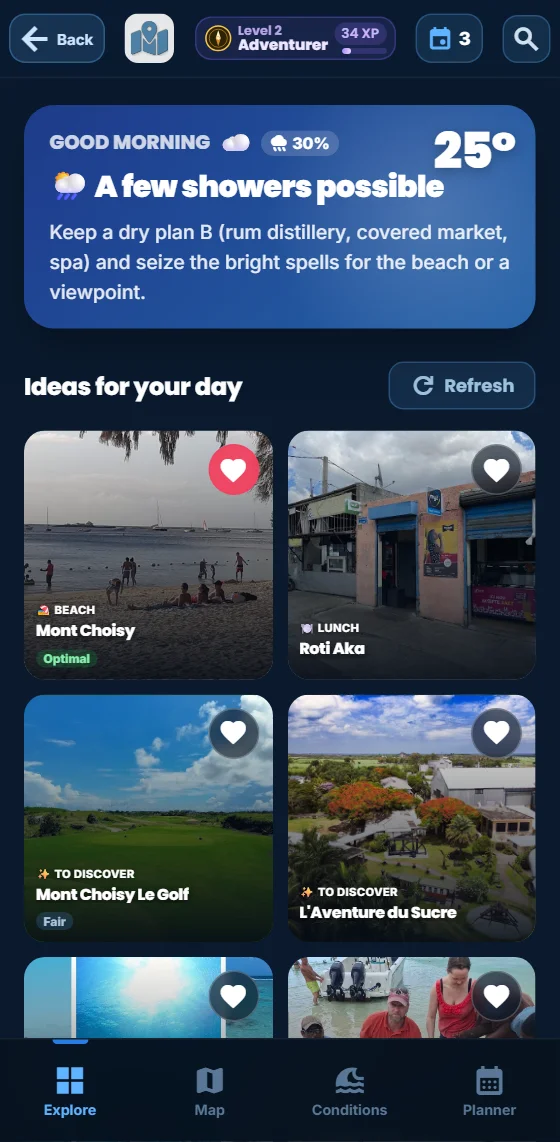
Open a spot card. Under the photo, a row of four actions: Directions, Planner, Share, Favourites. Tap the last one. The heart fills in, the word changes from “Favourites” to “Favourite”, a green banner rises from the bottom of the screen — Added to favourites — and a golden badge flashes +1 XP above the title. Three seconds, one finger, nothing to type.

Said in the order that matters, because the three are often confused. The feature: the heart writes the place’s identifier into your profile, next to your experience and the places you have visited. The advantage: that place is then gathered with the others on a page of your own, instead of depending on your memory or on a search. The benefit: the next morning you are no longer wondering what to do — you open your own list and choose from it.
It is a detail, but it says something about how the levels work: a favourite is worth one experience point, once per place. That is the smallest gain in the whole app — adding an activity to your trip planner is worth five. Favourites exist to organise you, not to inflate a counter, and the scoring says so on my behalf.
The same heart exists elsewhere, smaller, in the top right corner of the home screen tiles and suggestions. It works the other way round: when a place drifts past your eyes and you do not feel like opening its card, one tap is enough to set it aside for later.
The “My favourites” page: a map, regions, today’s sea
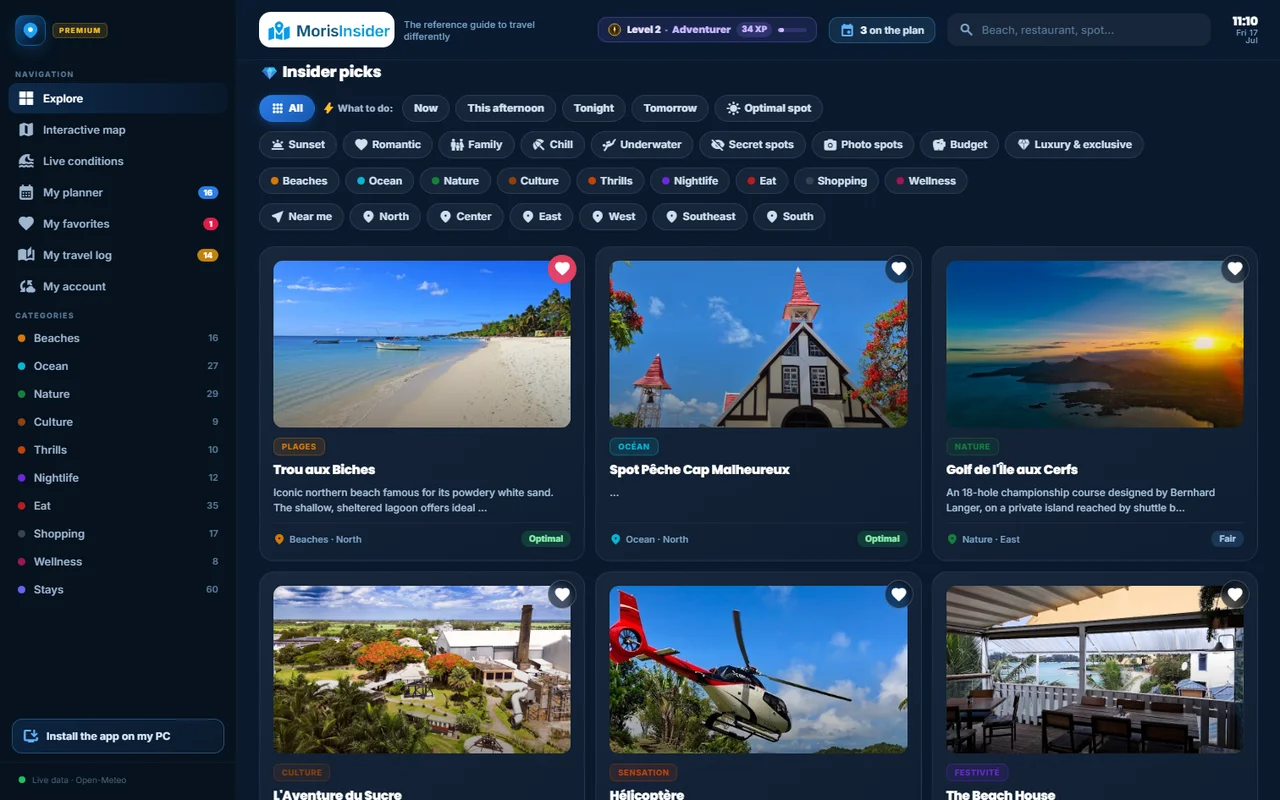
This is where the feature becomes more than a list. The “My favourites” page opens from the wide red banner at the bottom of the Explore screen, or from the side panel on a computer, where a red badge permanently shows how many places you have kept.

Three things happen at once, and it is their overlap that does the work.
The island map places your wishes. Your favourites appear as dots on the outline of Mauritius, with Port-Louis, Grand Baie, Mahébourg and Le Morne as landmarks. You see immediately whether your list is balanced or whether everything sits in the north — which, if you are staying in Bel Ombre, changes the whole plan.
The region pills filter the list. All, South, North, East, West: only the regions where you actually kept something show up. A free afternoon around Flic-en-Flac is settled with one tap on “West”.
Every row carries today’s conditions. That is the part I had not planned when building the page, and it is now my reason for opening it. A beach saved three days ago displays its state today — wave height, wind, chance of rain — exactly as on the conditions screen. Your wish list becomes a decision table: the question stops being “where could I go?” and becomes “which of the five is right today?”. Restaurants show no score at all: the sea has no effect on a curry.
Finally, the cross to the right of each row removes the place, with no confirmation and no dialog box. A favourite should be as quick to drop as it is to add.
What your favourites change elsewhere in the app
A list closed in on itself would not be worth much. Your favourites leave their page in three places.
On the explorer map, a small star sits on the shoulder of their pins. You keep the overview of the island, its categories and its filters, and your own places stay recognisable in the middle of it. Same gesture as on the island map, with one extra marker.
In the daily suggestions, under the planner, the app proposes four slots — morning, lunch, afternoon, sunset — and picks the best available place for each according to the weather. A favourite starts there with a twelve-point head start over its rivals. It is not a free pass: if the sea is genuinely bad where you like it, another place will still win. But with comparable conditions, yours comes out on top.
On your other devices, if you created an account. Favourites then travel with the travel journal and your notes: the list you made on your phone in the car is there on the tablet that evening. Without an account they stay on that device — more on that in a moment.
What favourites do not do
This is the part I care most about writing, because a limit kept quiet is a guaranteed bad surprise.
Without an account, your favourites live in this browser and nowhere else. They survive closing the app and restarting the phone perfectly well, but not clearing the site data, not changing device, and not private browsing. That is what the account is for, and it is why the app offers to create one right after your first favourite: you have just made something you could lose.
A favourite is not a booking, and not a reminder. It warns you of nothing, blocks no slot and sends no notification. For a place to have a time, you have to put it in the “My week” planner — a separate gesture, deliberately: keeping a wish and making a commitment are not the same thing, and mixing them up is the shortest route to an unworkable schedule.
Finally, the app does nothing else with your list. It does not analyse it to guess your profile, does not share it with anyone, and does not use it to push anything at you — the twelve points in the daily suggestions are the only use, and it is written here. Your favourites are an organising tool, not one more piece of data to exploit.
The rest is up to you. My own list, right now, is five lines across two regions: four beaches on the island and one table. Not much — but they are the right five, and I no longer need to remember what there was after the bridge.
Keep your five good places
One tap on a heart and the place comes back on a page of your own — placed on the island map, filtered by region, with today’s sea.
Discover the app →