Last evening of the trip, a terrace above the lagoon, and the question lands: "which day was the waterfall?" Nobody knows. Eleven outings in eight days, four hundred photos on the phone, and the order has already blurred — you remember everything and nothing. I have had that conversation too often to leave it alone: it is exactly the gap filled by the travel journal in the app, and it fills it without you having to think about it.
Budget tip: in Mauritius, part of your activities can cost you less. See how to save money with discounts on your activities.
I live in Mauritius and I built Moris Insider, the island guide and map. This article covers one single feature: the travel journal — what it records, the image it builds at the touch of a button, and what it cannot do.
On the last evening, nobody remembers the order
A Mauritian trip piles up fast. A morning of snorkelling, a market in the afternoon, a waterfall the next day, a boat trip the day after, two restaurants whose names you will never find again. In the moment, everything is sharp. Three weeks after you land back home, all that is left is a heap: a camera roll out of order, places with no dates, and that uncomfortable feeling of having lived something beautiful you can no longer tell in sequence.
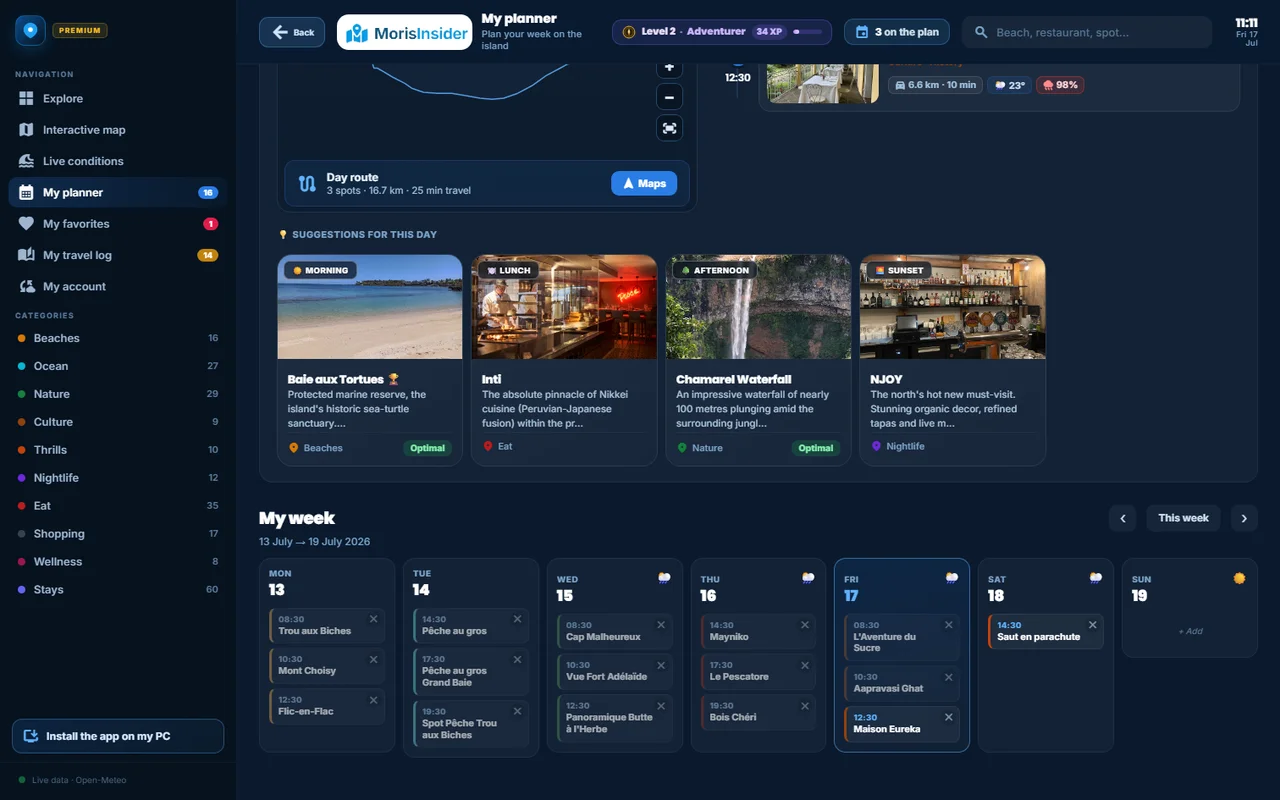
Classic travel journals demand a discipline nobody has on holiday: open an app in the evening, create an entry, look up the name of the place, type it in. After three days, you stop. So I took the problem from the other end. Since most outings are already placed in the "My week" planner, the app already knows where you went, on which day and at what time. There is nothing to re-enter: what has already happened simply needs to move.
What I actually do at the end of a day
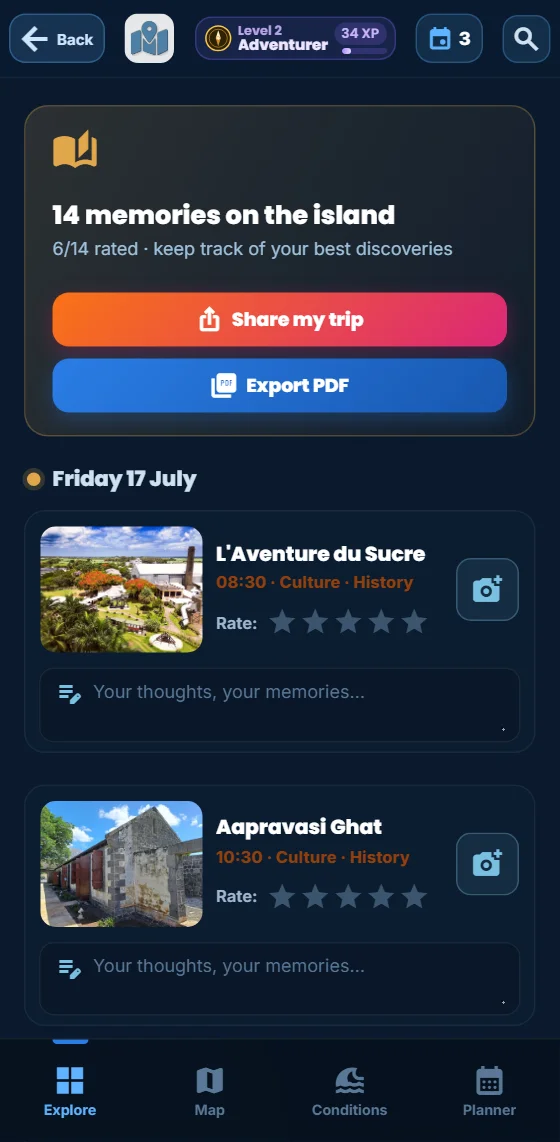
It takes two minutes, usually on the terrace once we are back. I open the app, Explore tab, and tap the "My travel journal" banner — on a computer it sits in the left panel, with a badge counting the memories waiting. The screen opens on a very plain header: "38 memories on the island", and just below, how many of them I have already rated.
Days are stacked from the most recent to the oldest, each with its outings in time order. Every line carries the thumbnail of the place, its name, the time, its category and sub-category. I tap the stars — five levels, one second — press the little camera on the right to drop in one or two photos from the phone, and write two lines in the "Your impressions, your memories…" field. That is all. Tomorrow, today will have arrived on its own.
It is not filled: it fills itself
The feature, plainly: the journal stores nothing of its own. It reads your planner and keeps only the activities whose time has already passed. An outing scheduled for 8:30 is still in the planner at 8:00 and in the journal at 9:00. Each memory keeps its time, its category and its sub-category, and carries a "Contacted" marker if you called the provider from the app. You can attach up to six photos, resized to 1,200 pixels before storage, and six hundred characters of free text.
The advantage: keeping the journal takes no discipline, only a reaction. You do not create an entry, you rate one that already exists. The benefit shows up once you are home: you come back with a trip that is dated, ordered and rated — which beach was really worth the drive, which table to book again, which guide to call back — instead of an anonymous camera roll. And because everything starts from the planner, it works just as well over three days as over three weeks. The places themselves are picked beforehand among the 225 places on the island sorted by mood; if you are still building the plan, our 7-day Mauritius itinerary gives a solid frame.
Keep track of your days
The journal, the photos, the notes and the share image are all in the app. No account, no card.
Discover the app →Three boxes to tick before sharing
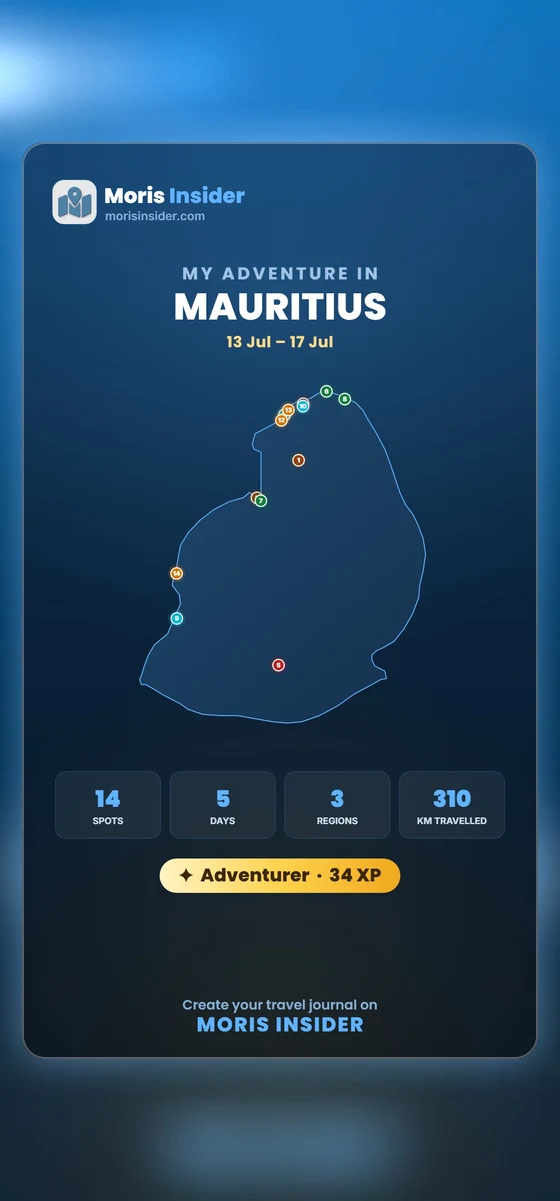
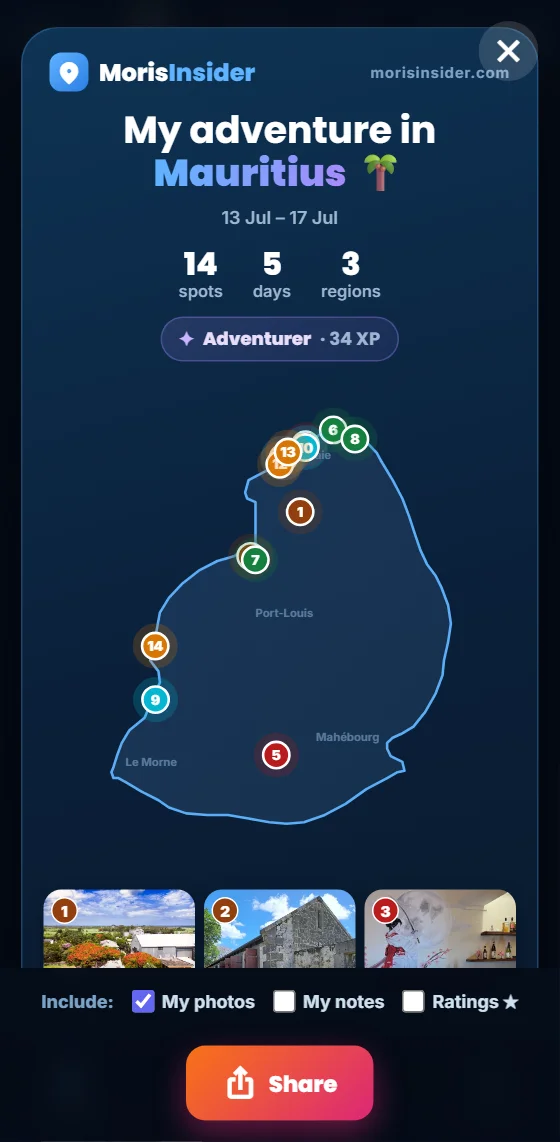
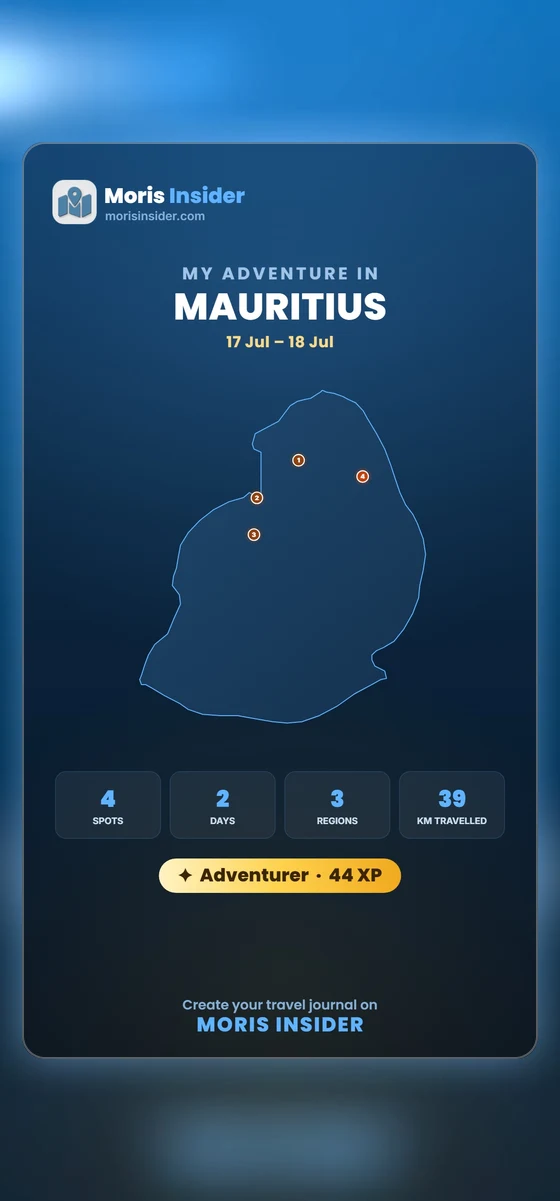
At the top of the journal, two buttons are waiting: "Share my trip" and "Export PDF". The first one sends nothing straight away — it opens a preview, and that preview is already the card of your stay: the title "My adventure in Mauritius", the real date range, then three numbers in a row — spots, days, regions — and your level with your XP total. Below, the outline of the island carries your spots numbered in the order you lived them, and a mosaic shows your photos; past nine, a line announces how many more spots complete the picture.
Under the preview, three boxes decide what goes out: My photos, My notes, Star ratings. Every click rebuilds the preview in front of you, which avoids the usual bad surprise: you see exactly what you are about to publish. That matters more often than you would think — a blunt note about one of the island restaurants belongs in a private journal, not necessarily on a social feed.
What the story really builds
The Share button triggers an image of 1080 × 1920 pixels — the vertical story format, ready for Instagram, WhatsApp or a plain message. It is drawn on the fly on your own device: the outline of the island at its true geometry, the same shape as the explorer map, your spots placed at their coordinates and numbered chronologically, then four counters — spots, days, regions and kilometres covered, the last one measured from one point of your route to the next. Your level and XP close the block, and the footer invites the reader to start a journal of their own.
Two details I like. First, no tile is ever left blank: if you did not photograph a place, the app tries the spot photo, then public photos of the place, then a Street View shot. Second, the same mechanism works upstream: from the "My week" planner you can share the programme before living it, which is handy when several people are planning together. And each journal share is worth 20 XP — the best-rewarded gesture in the app, because it is the one that makes it known.
What the journal cannot do
This is the part I insist on writing myself, because it is the part that earns trust. The journal guesses nothing. Whatever did not go through the planner will not appear in it: there is no background location tracking, no automatic detection of the places you drove past. That is a deliberate choice — I do not want an app that follows its users around — but it has a price: the unplanned stop, the little restaurant found by chance, have to be added to the planner afterwards to join the journal.
Second, personal photos stay on the device. They are sent to no server, which is good news for privacy, but they do not sync either: with an account, your favourites, your memories, your notes and your XP follow you from one phone to the next — your photos do not. They live in the browser local storage, which has a limit; when it is reached, the app says so plainly rather than losing an image in silence. Hence the rule I apply: the journal is a keepsake, not a backup. The photos that really matter belong in your camera roll, and the PDF export gets a record out at the end of the trip.
One last, more down-to-earth limit: the journal tells what you did, not what you should have done. It will not tell you that leaving an hour earlier would have given you the lagoon to yourself — that is the job of the Live conditions screen, which I covered in the article on marine weather. To plan the season, our guide on the best time to visit Mauritius thinks in years; this one only thinks in evenings, once the day is behind you and something has to be kept from it.
Your trip, in one image
Moris Insider brings together 225 hand-picked places, the weather of the six regions of the island, the week planner and the journal that keeps track of your days. €24.90 once, for life. 30-day money-back guarantee.
Discover the app →